AI
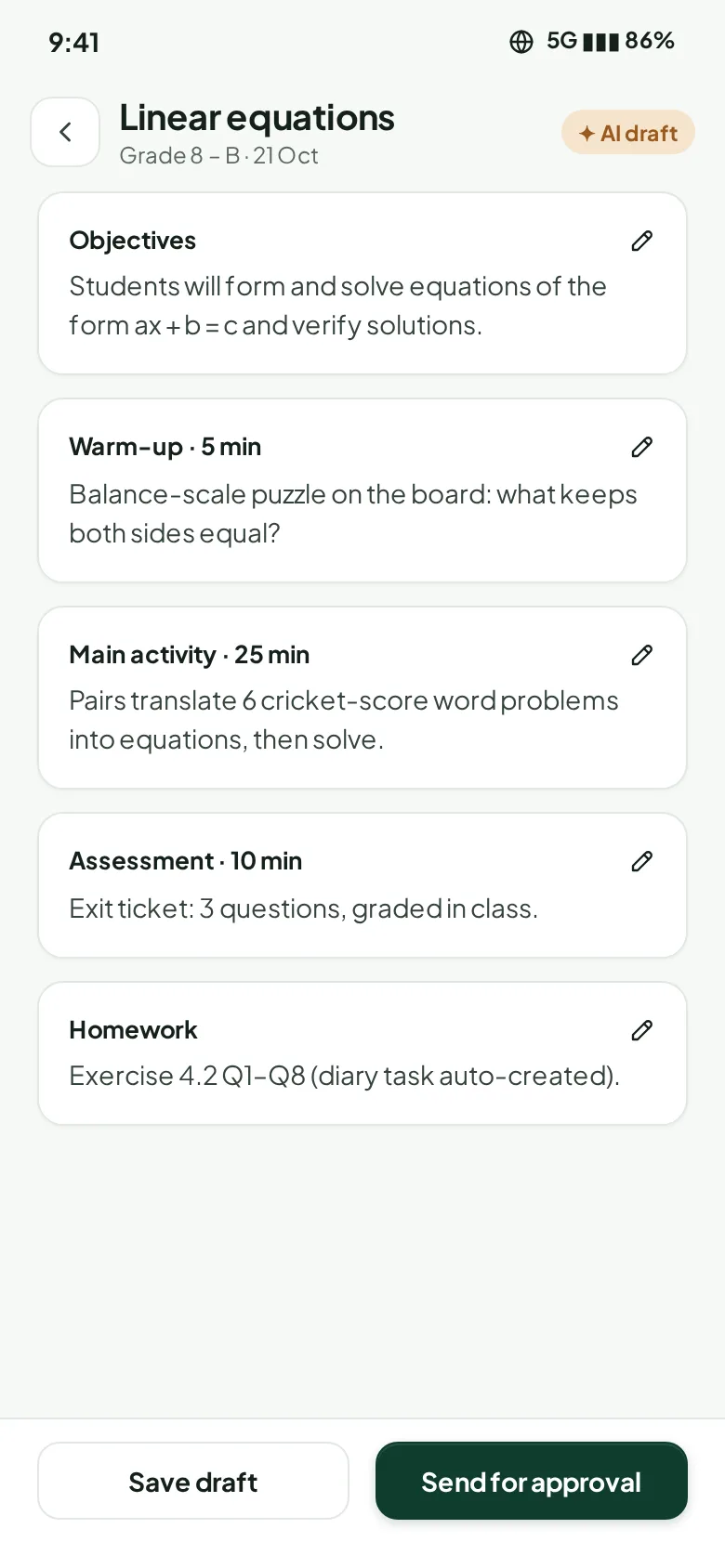
AI lesson plan generation
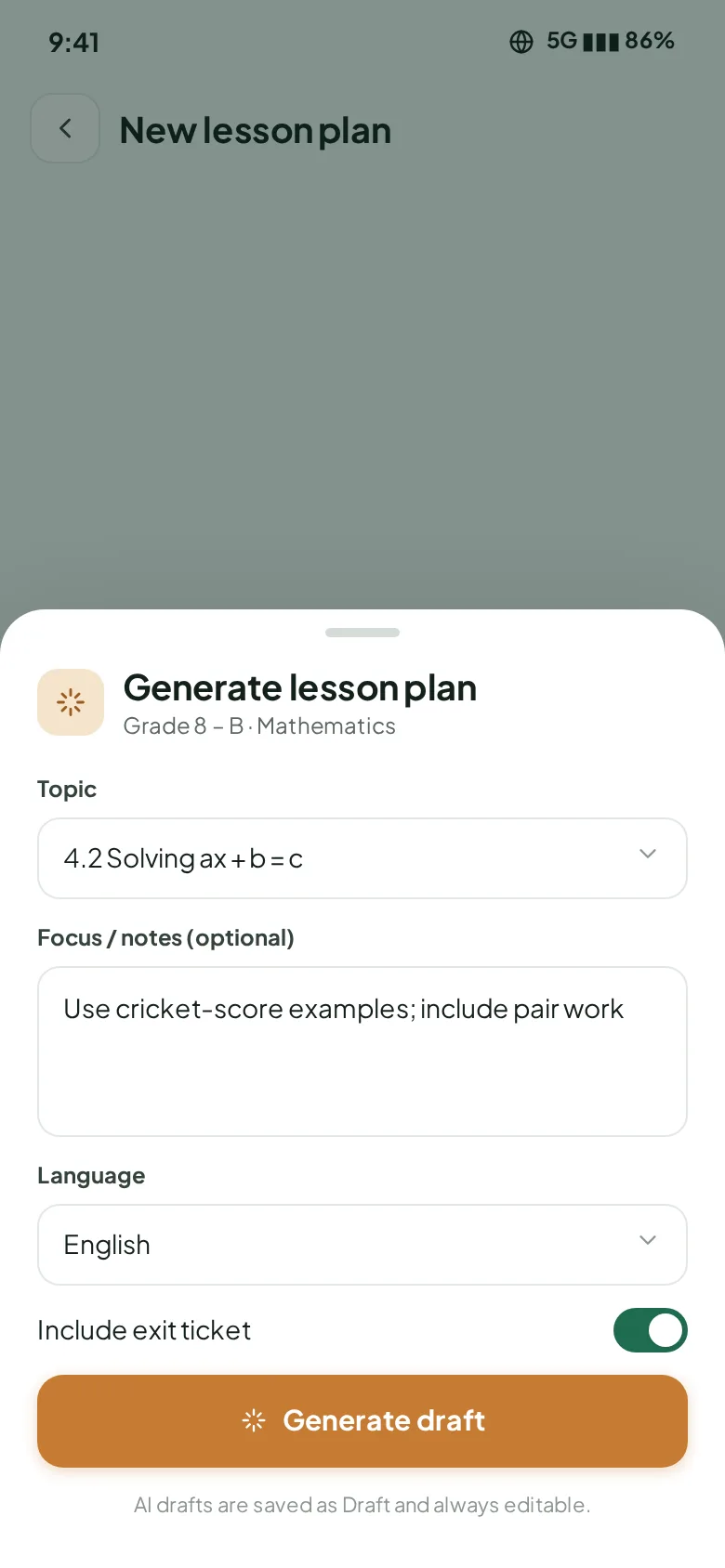
Pick a class and a syllabus topic, let AI draft the full plan, then edit it and send it for approval.
ClasSync connects admin, principals, teachers, parents and students: attendance, AI lesson plans, AI exam papers, curriculum, fees and hiring — in English and اردو.
▶Watch 1-minute how-to videos — English & اردو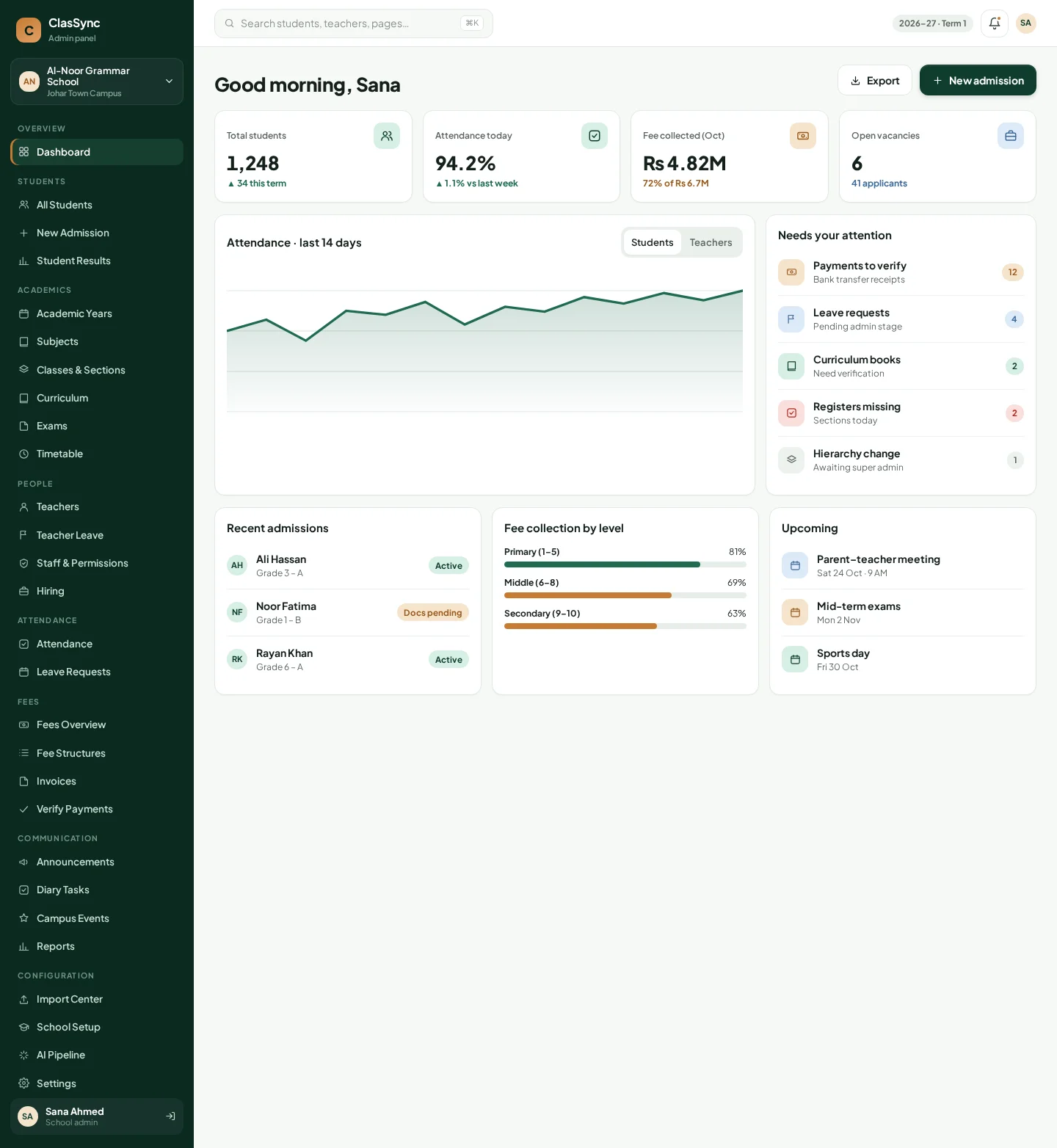
One view of every campus — admins, attendance, fees and hiring.
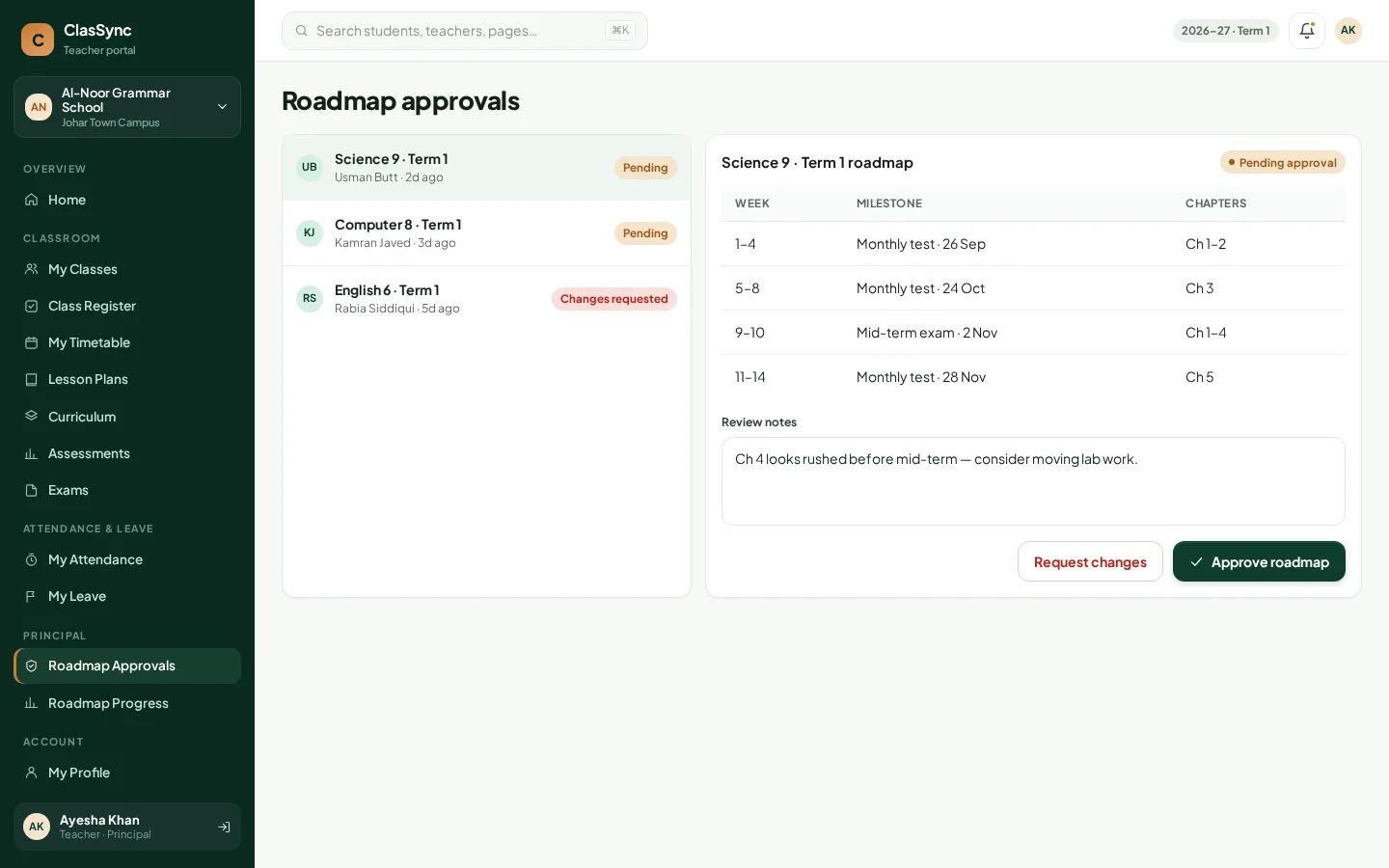
Approvals and progress without chasing registers and files.
Less paperwork: quick attendance, AI drafts for plans and papers.
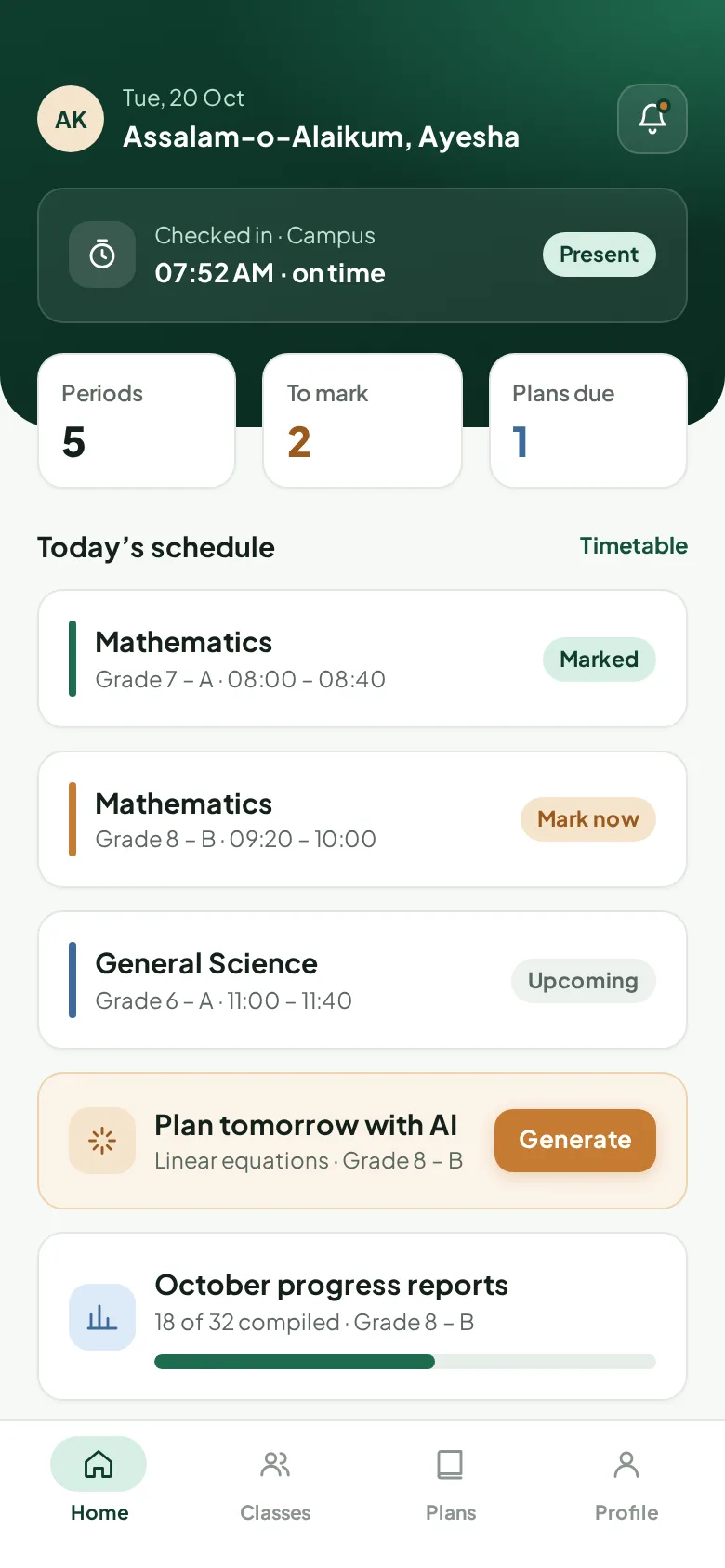
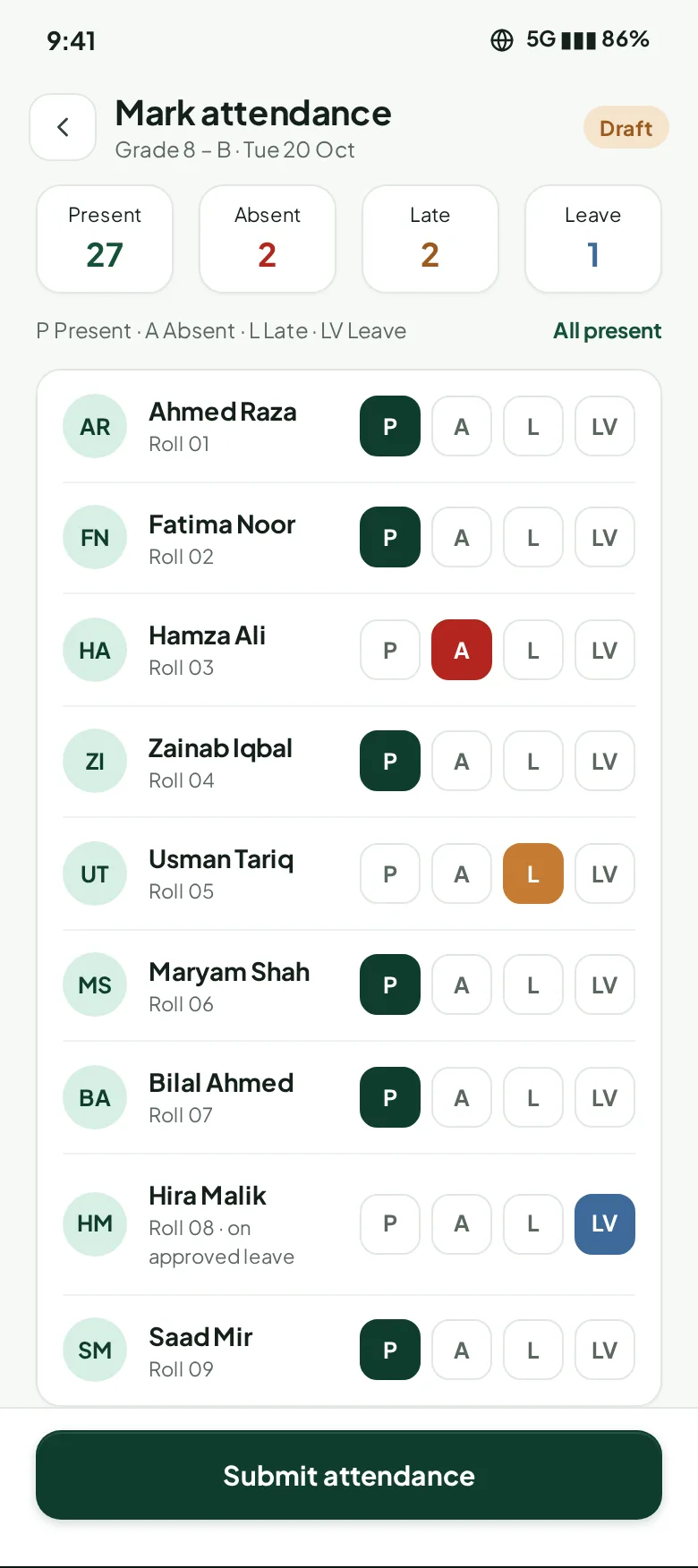
Real screens from ClasSync, role by role.
Pick a role, then step through what they actually do in ClasSync.
Sets up the school once, then runs daily operations
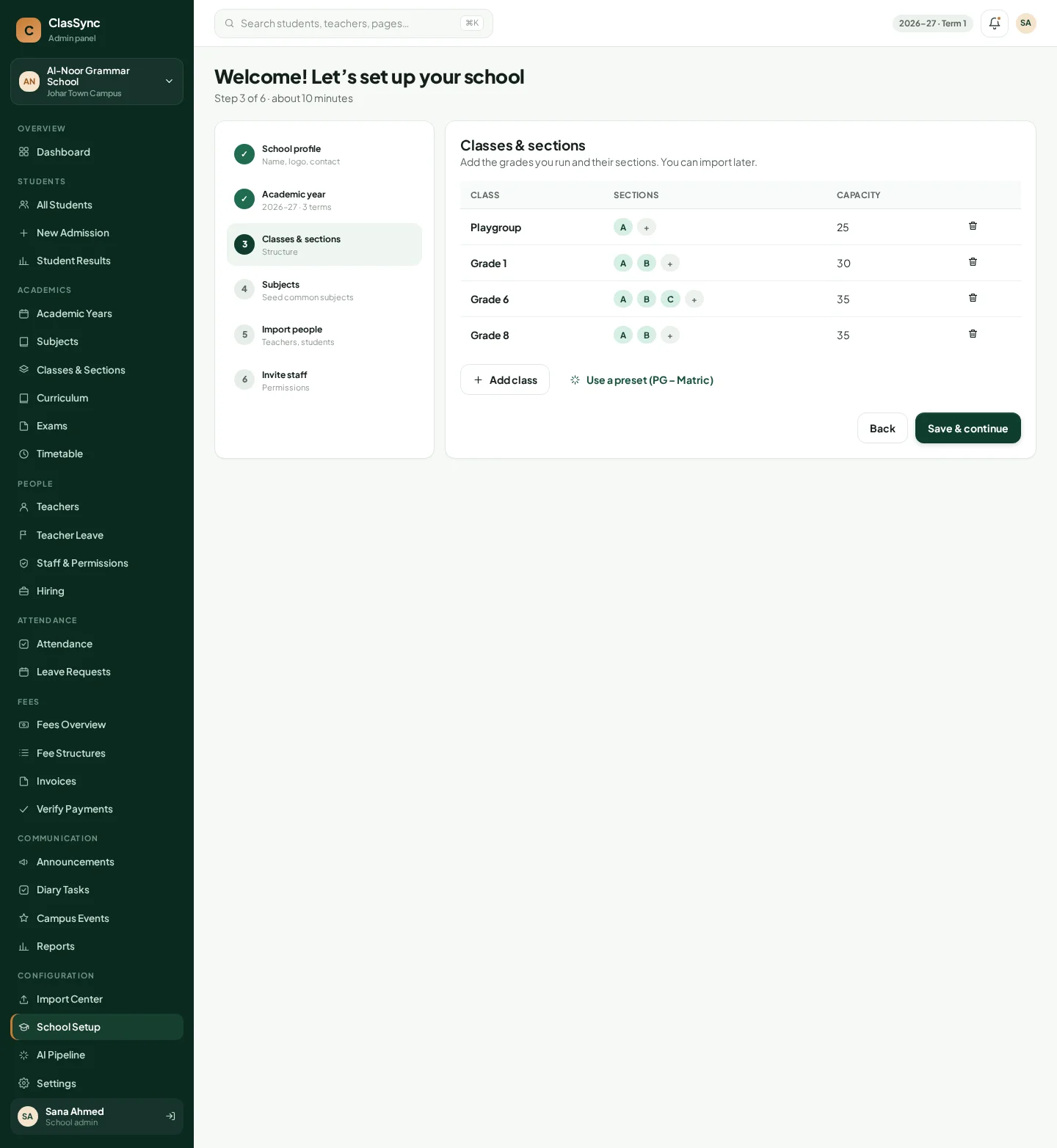
Student register with Present/Absent/Late/Leave, section history, and teacher attendance.
AI drafts lesson plans per chapter; teachers edit and finalise them.
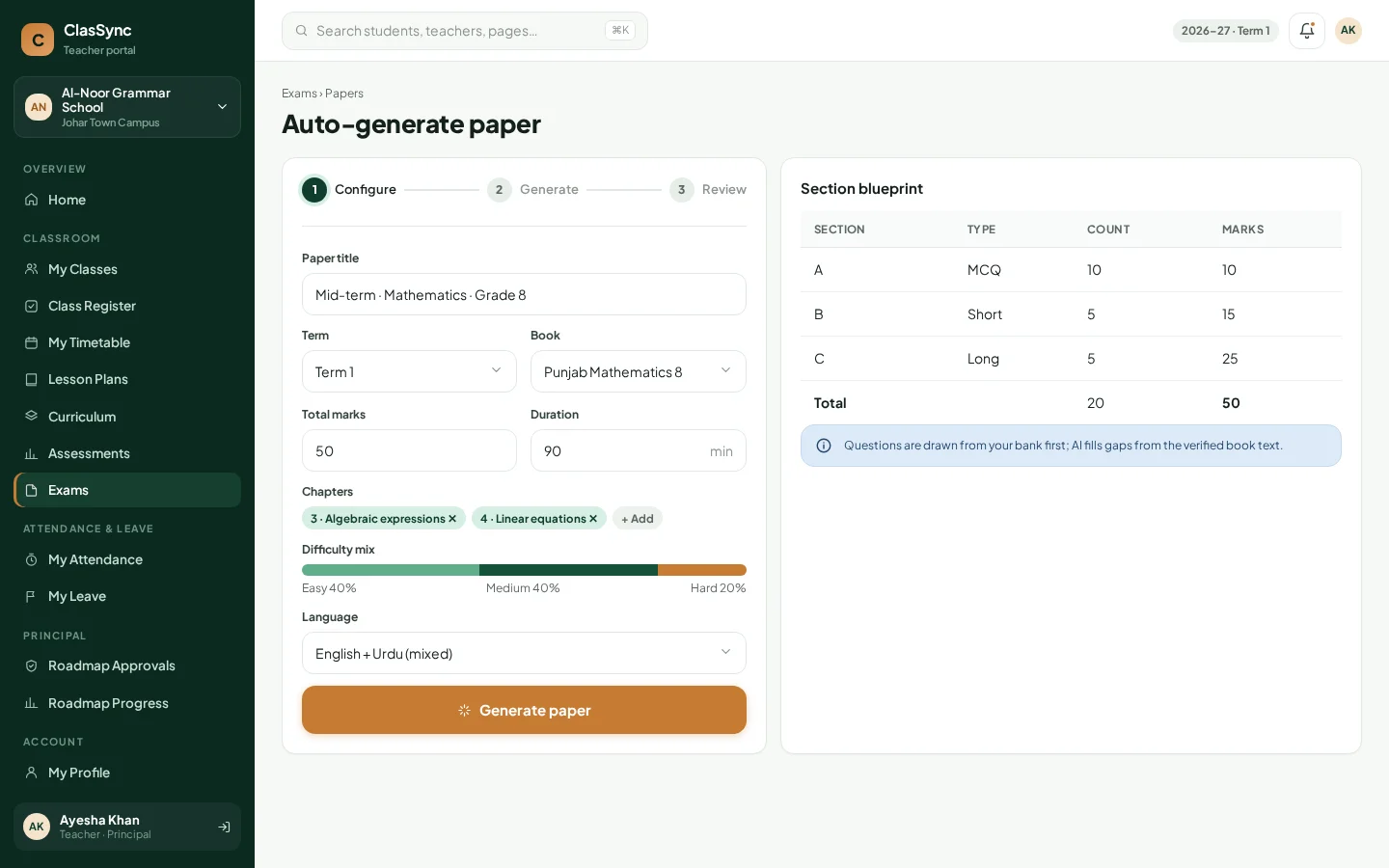
MCQ, short, long and true/false questions in English, Urdu or mixed — reviewed and printed.
Upload a textbook, it’s processed and aligned to chapters, then applied to your curriculum.
Per-section timetable shared with teachers and students.
Fee structures, invoice generation, cash entries, online payment verification, waivers, overdue tracking.
Admission, guardian accounts, profiles with fees, documents & timeline, transfers and results.
Teacher-direct or admin-reviewed publishing to parents.
Announcements, class diary, events and leave requests.
Public careers page, vacancies, CV bank and SCREENING → INTERVIEW → SELECTED pipeline.
Module-level permissions for office staff.
Super-admin creates schools and school admins and manages the hierarchy.
Choose class, subject and chapter — get a structured draft in moments, edit it, and finalise it. Every version is kept.
Set total marks and question mix; ClasSync assembles a paper from your question bank and curriculum. Replace or edit any question, mark READY, print.
Upload the book; it’s processed and aligned into chapters you approve.
Admins configure AI settings and can review AI usage logs.
14 short step-by-step videos recorded in the real ClasSync teacher app — each in English and Urdu.
Swipe or use the arrows to see all videos. Each has on-screen captions, so it also works with the sound off.
Everyone signs in to their own role and sees only what they need.
Create schools and campuses, appoint school admins.
Setup, students, fees, hiring and comms in the web admin panel.
Approvals for roadmaps, leave and reports.
Mobile app + web teacher portal for daily work.
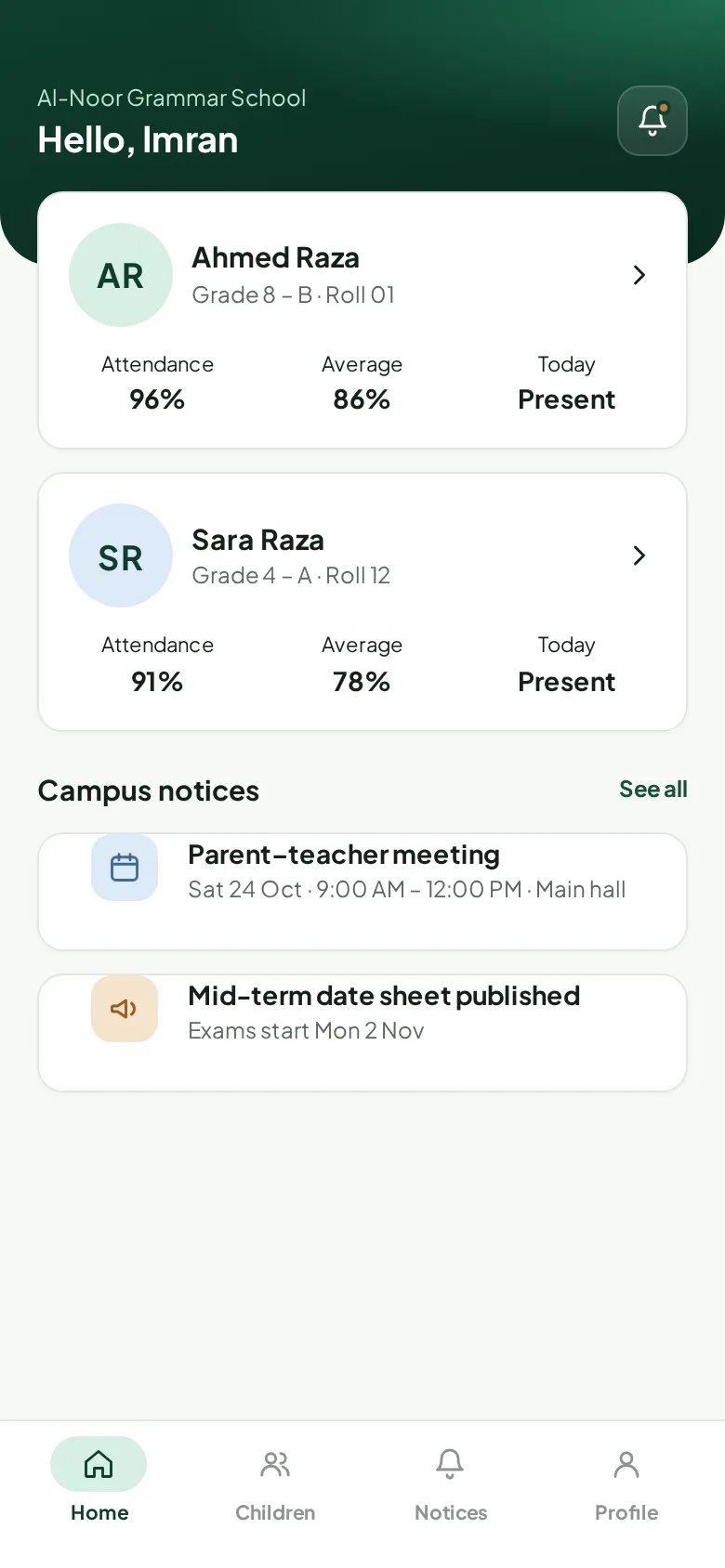
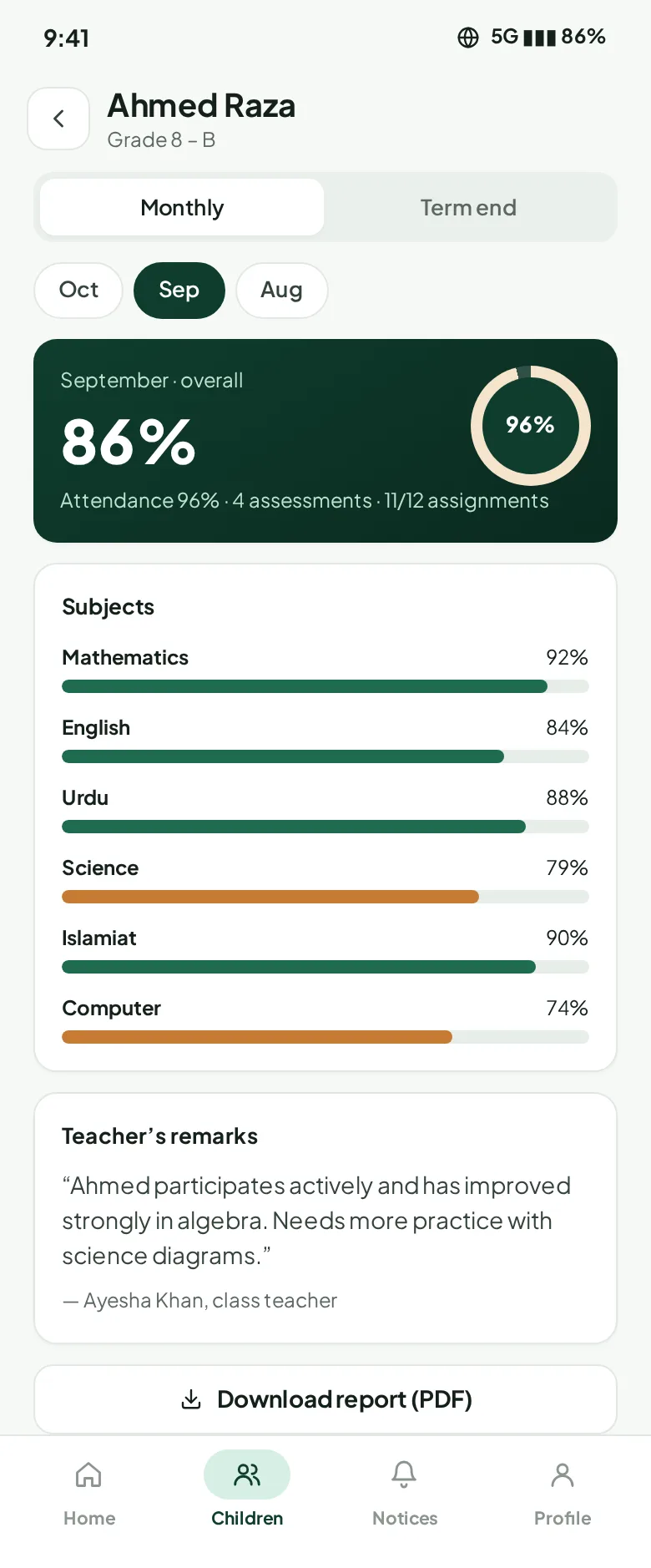
Children, progress, notices and fees on mobile.
Home, timetable and diary tasks.
Apply to openings and track by reference number — no login needed.
ClasSync — آپ کے اسکول کا مکمل نظام
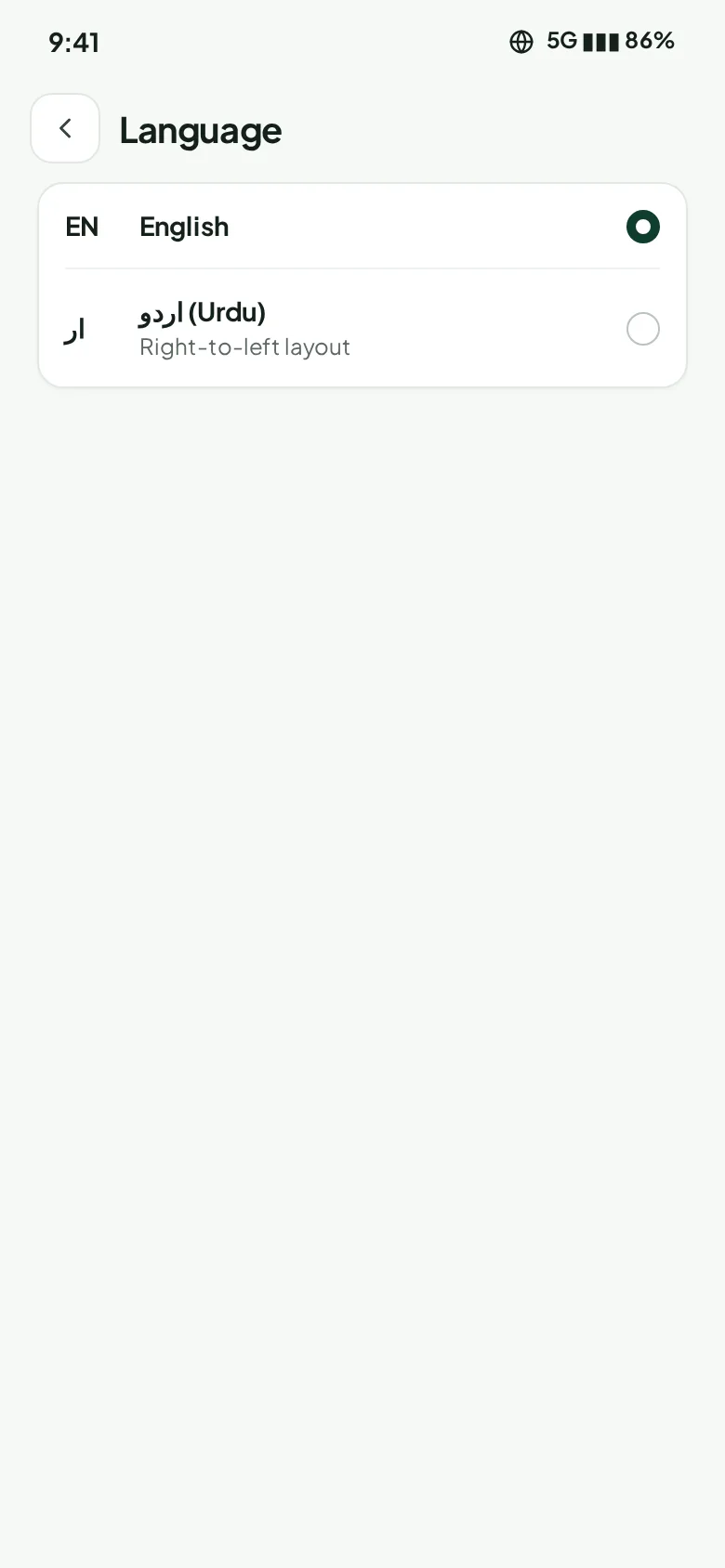
Switch the app to Urdu with a proper right-to-left layout, and create exam questions in English, Urdu or mixed.
Every school is different — from a single campus to a group of schools. Tell us about yours and we’ll send a quote that fits your size and the modules you need.
آپ کے اسکول کے مطابق قیمت — کوٹیشن کے لیے رابطہ کریں
Private schools and school groups in Pakistan — from a single campus to multiple schools managed by one owner.
Yes. The mobile app supports English and Urdu (with right-to-left layout), and exam questions can be English, Urdu or mixed.
Admins and teachers use the web panel in any modern browser. Teachers, parents and students use the Android/iOS mobile app.
No. AI produces a draft lesson plan or exam paper; the teacher reviews, edits and finalises it.
Yes — classes, teachers, students, assignments, timetable and curriculum can be imported from CSV, with validation before anything is saved.
The school can record cash payments, and online/bank-transfer payments go into a verification queue before being marked paid.
Yes. Short how-to videos in English and Urdu walk teachers through AI lesson plans, exam papers and the curriculum — see “How-to videos” above. We also walk your team through setup during the demo.
Pricing depends on your school’s size and the modules you need. Request a quote with the form below and we’ll send a plan tailored to your school.
Each school’s data is separated, and staff only see the modules they’re given permission for.
Book a free walkthrough. We’ll show the admin panel, teacher app and parent app, and talk through getting your data in.